 Continuum
On iPhone and iPad. Listen with CarPlay too.
Listening
is reading too.
Continuum is an EPUB reader and audiobook player for iPhone and iPad. Read, listen or combine your books in Immersive mode.
One-time payment. No subscription.
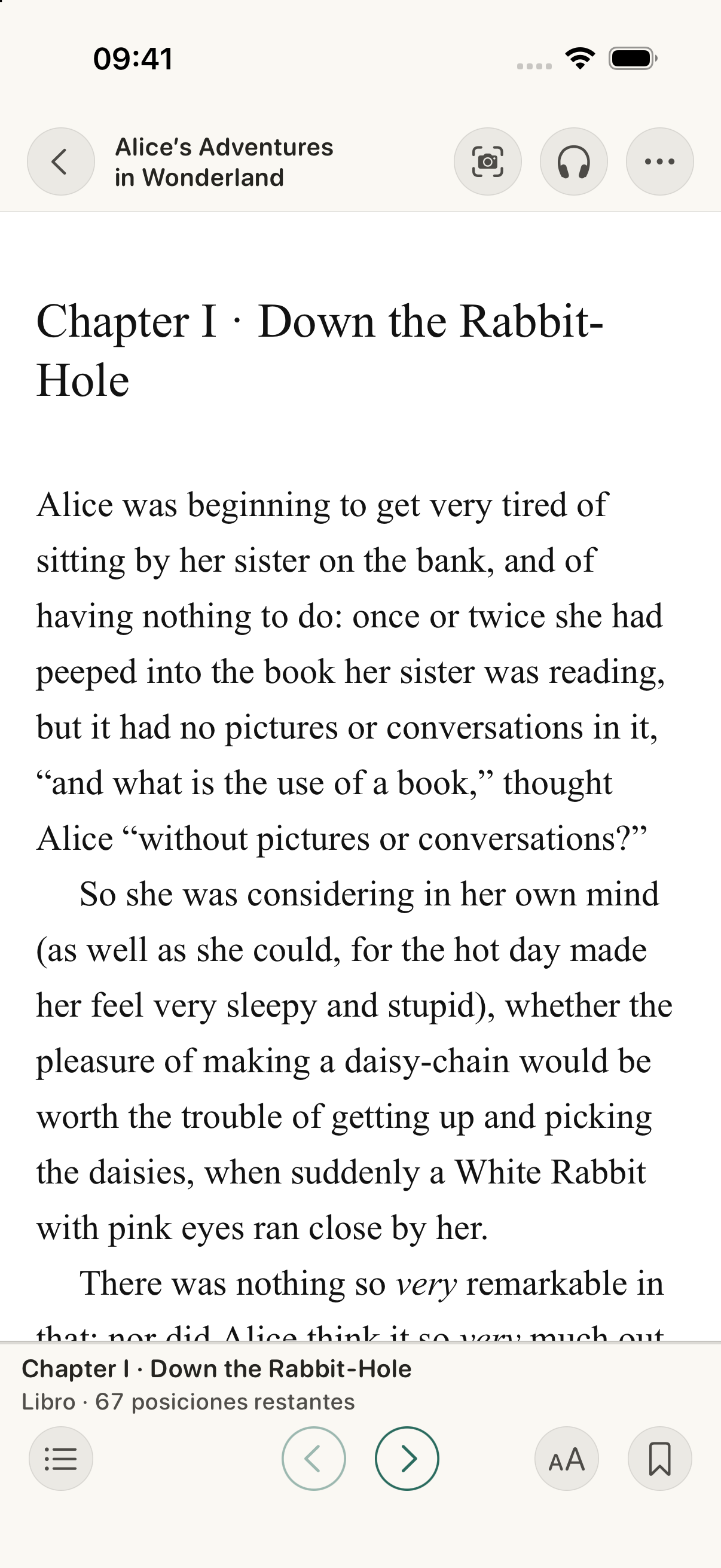
A moment to read.
The animation shows three real screenshots of the same work. You can choose a mode or pause. No audio plays.
One story.
Your way to experience it.
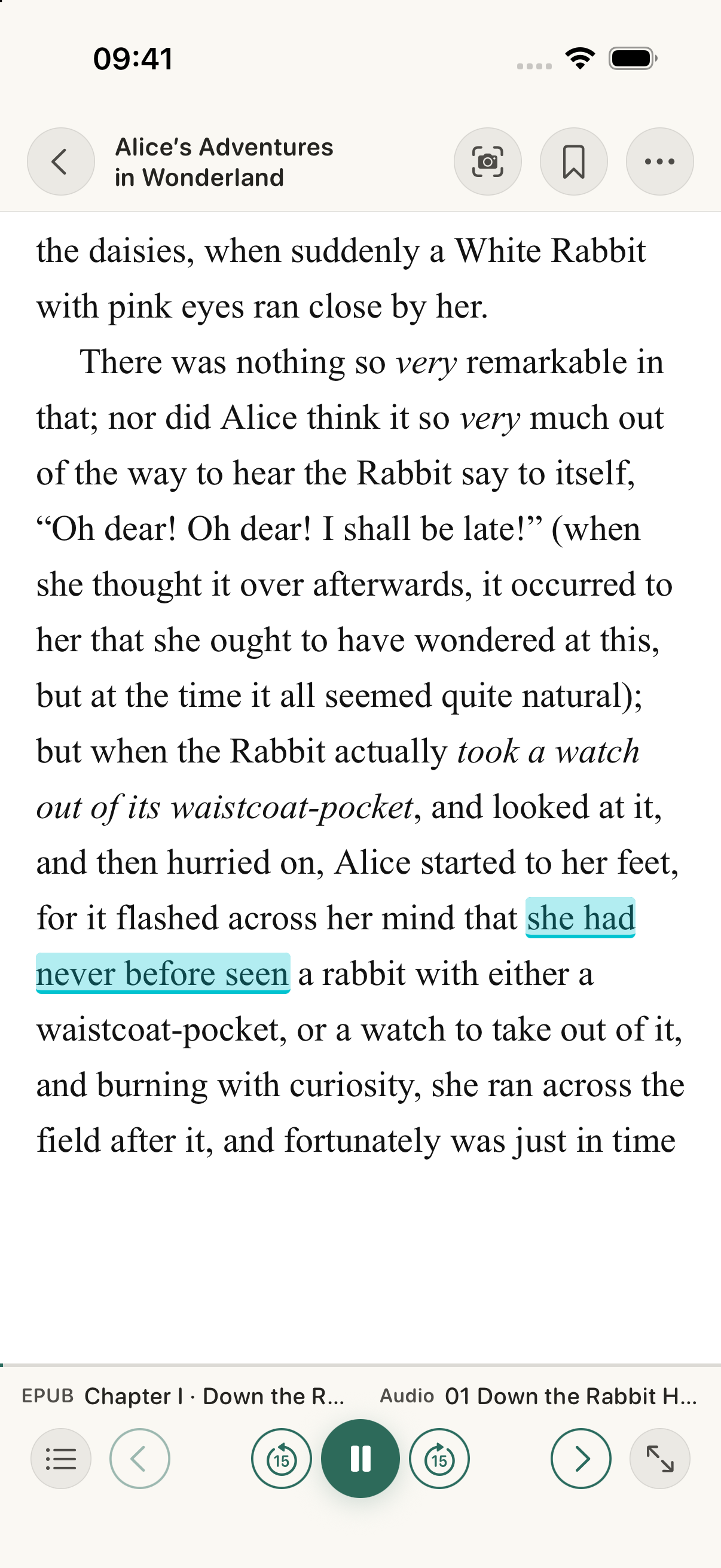
Read and listen together with Immersive. The text follows the narration so you can follow the story.
The words follow
the rhythm of the voice.
Continuum automatically syncs compatible chapters in your EPUB and audiobook. Highlighting follows the narration, pages turn and you choose the highlight colour.
Try a highlight colour
The words follow the rhythm of the voice.
Highlight sample · Turquoise
Use corresponding editions with chapters in both files. Initial setup may take a few minutes and require a download.
From text to audio. And back.
With chapters linked, switch formats and continue from the matching passage.*
* Syncing depends on the editions, chapter structure and how closely the text matches the narration. It may be partial or unavailable for some books.
Install the speech model ↗Check compatibility ↗
Your audiobook.
At your pace.
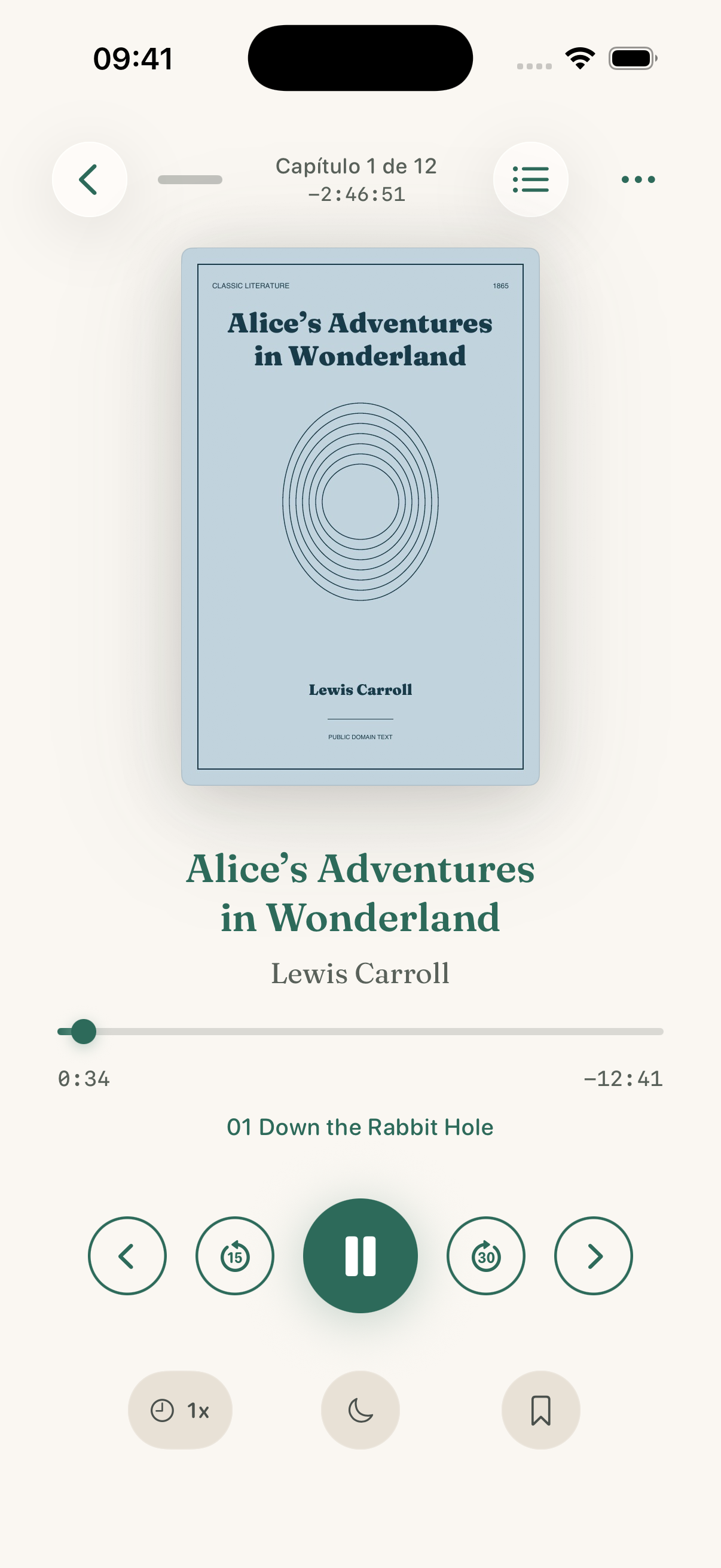
A player that gives the cover room and keeps the controls close. For one more chapter, a long walk or the last moments of the day.
- You choose the speed.
- Set the playback pace to suit the way you listen.
- And when to rest.
- Set the timer and let the audio stop when it's time.
Your fonts.
Your notes.
A page that feels like you. And room for the ideas you take from each book.
- Read with your own fonts.
- Import your fonts and find the type that makes you want to keep reading.
- Take away more than the story.
- Highlight a passage, choose its colour and add a note to return to later.
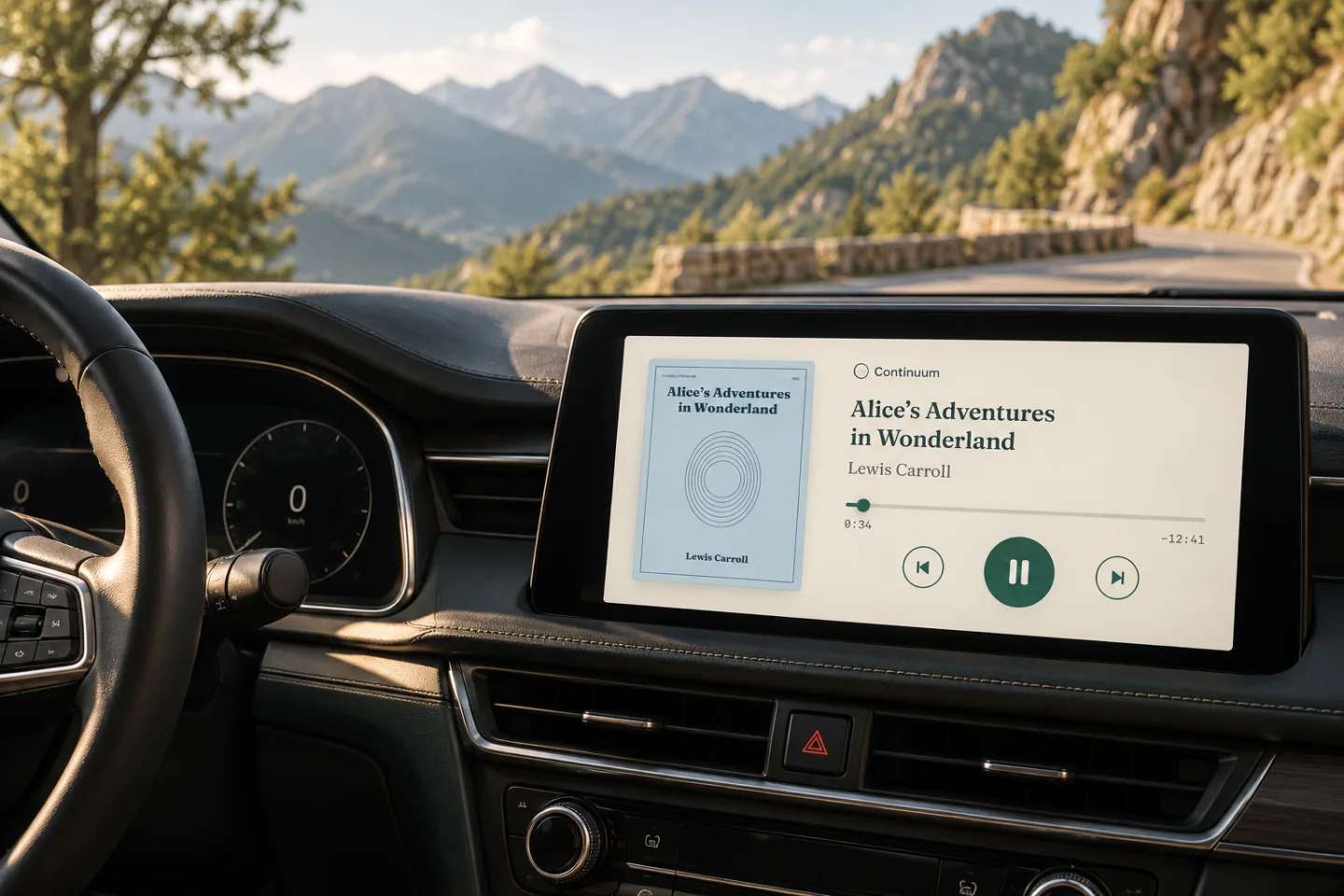
CarPlay
Your story
travels with you too.
Listen to your audiobooks from the car's screen. Your library, chapters and playback controls, within reach.
Alice’s Adventures in Wonderland
Kara Shallenberg / LibriVox
The sample couldn't be played. You can try again.
CarPlay. Illustrative montage.
You need a CarPlay-compatible car or system and your audio files available on your iPhone. Getting started with CarPlay ↗
From paper
to your EPUB.
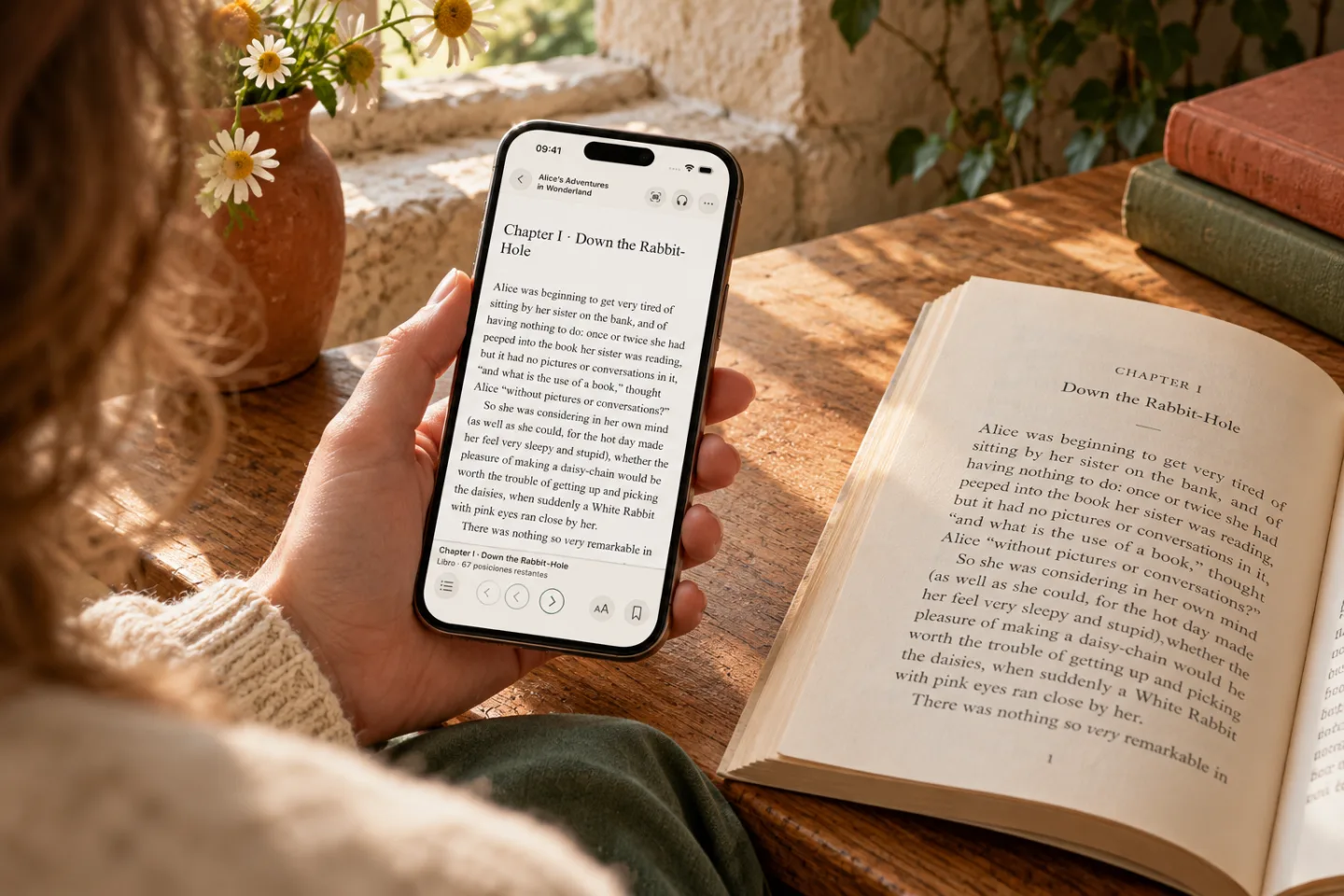
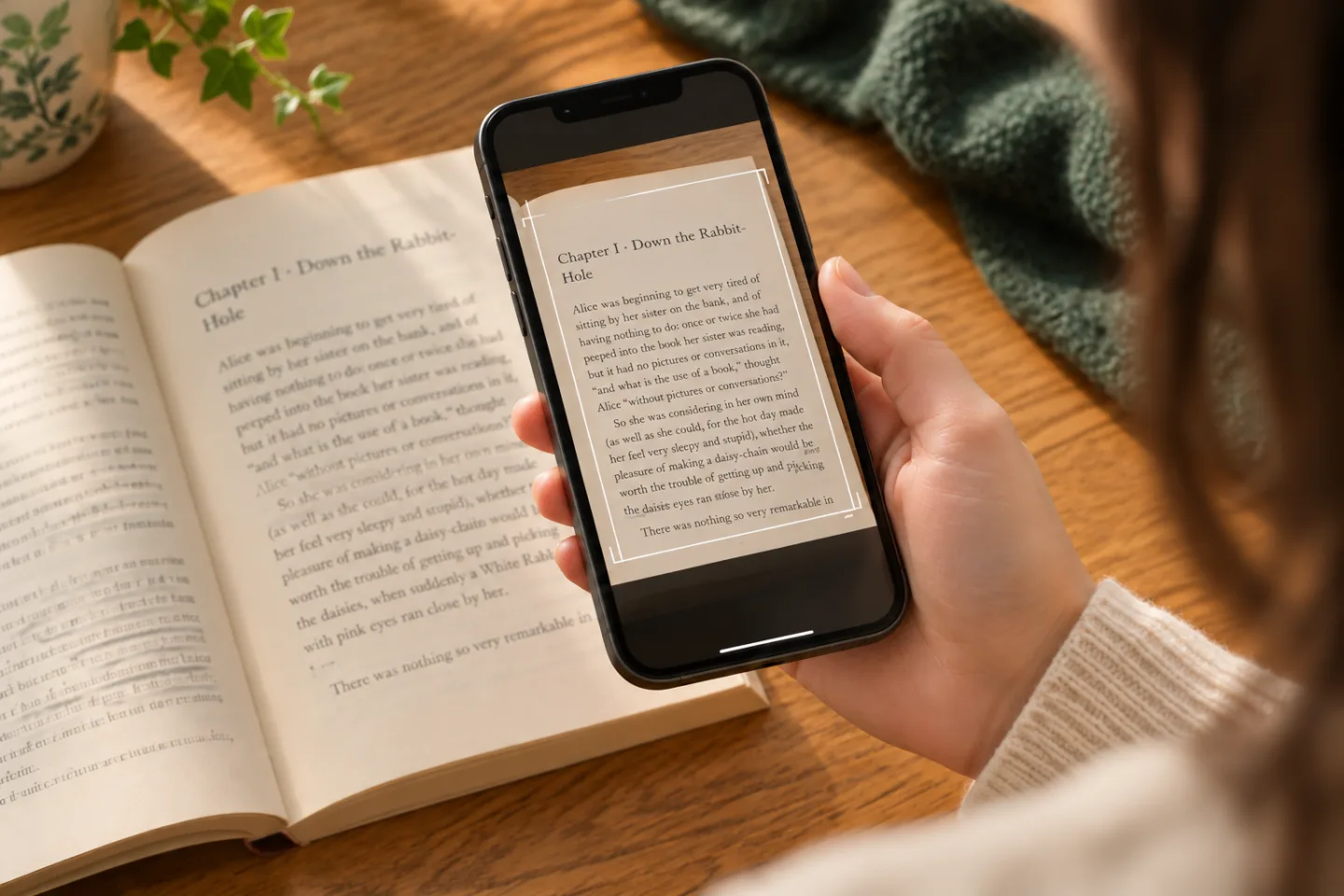
Scan the page you're reading. OCR recognises the text and finds that passage in your EPUB so you can continue from there.
How to scan a page- Open the EPUB of the same book.
- Scan the page with your camera.
- Find the passage and keep reading. With linked audio, you can keep listening too.
You need the corresponding EPUB. OCR locates a passage; it doesn't create a new EPUB from a physical book. Results depend on readability and the edition.
Your books.
On your other device too.
With iCloud enabled, continue between iPhone and iPad using the same Apple Account.
- Your library and your place.
- Library data and reading and listening progress may sync across devices.
- What you save in each story.
- Bookmarks, notes, highlights and links between text and audio chapters may sync too.
- Your files, available.
- Compatible EPUB and audio copies may sync through iCloud. Download them to your device before reading or listening offline.
This depends on iCloud, available storage and your connection. Connect external audio folders on each device; install your own fonts and the speech model separately.
Set up iCloud and your devices ↗Before you begin.
The essentials about Continuum. For importing, setting up Immersive or recovering a file, you'll find step-by-step guides.
Go to the help centreDoes Continuum include books?
No. You bring your own legally obtained, DRM-free EPUBs and audiobooks. Continuum brings your files together; it doesn't sell books or offer a catalogue. Your purchase unlocks the app's features.
Do I need the EPUB and the audiobook?
You can read with just an EPUB or listen with just an audiobook. Immersive needs both: corresponding editions of the same book, with chapters in both files.
How does Immersive mode work?
Continuum automatically links chapters in compatible EPUBs and audiobooks. Highlighting follows the narration and pages turn to keep the passage in view. Initial setup may take a few minutes and require a model download. You can review and adjust the matches. Continuous audio without chapters doesn't sync automatically with reliable results.
Can I listen in the car with CarPlay?
Yes. In a CarPlay-compatible car or system, you can open your audiobook library, play books and browse available chapters with the car's controls. Have the files ready on your iPhone before you go.
Can I use it offline?
Yes, for reading and listening with the necessary files and resources downloaded on the device. Importing from remote sources, downloading models, recovering files or syncing with iCloud may require a connection.
How does it work between iPhone and iPad?
With iCloud enabled, your library, progress, bookmarks, notes and chapter links can sync between your devices. Available EPUB and audio copies download from iCloud. External audio folders are connected separately, and imported fonts stay on the device where you add them.
Which formats are supported? What about DRM-protected books?
EPUB for reading and M4B, MP3 or M4A for audio. Files must be DRM-free: Continuum doesn't open protected files or remove that protection. Immersive reading also depends on compatibility between editions and their chapters.
Is it a subscription?
No. The app is free to download, and a single in-app purchase unlocks reading, listening and Immersive. You can restore your purchase with your Apple account. The applicable price appears on the App Store and purchase screen; books aren't included.
Do I need an account? What happens to my data?
You don't need to create a Continuum account. Apple handles purchases and, if you enable it, iCloud. Content is processed locally, and your library is personal. The app also uses usage and purchase measurement, attribution and security services that may process identifiers, events and technical data.
Pay once.
Continuum is yours.
One in-app payment unlocks the reader, player and Immersive mode.
No subscriptions. No recurring fees.
You bring the books.
Continuum doesn't include books or remove DRM. Import your legally obtained, DRM-free EPUBs and audiobooks.
Download on the App Store