 Continuum
An EPUB reader
that adapts to you.
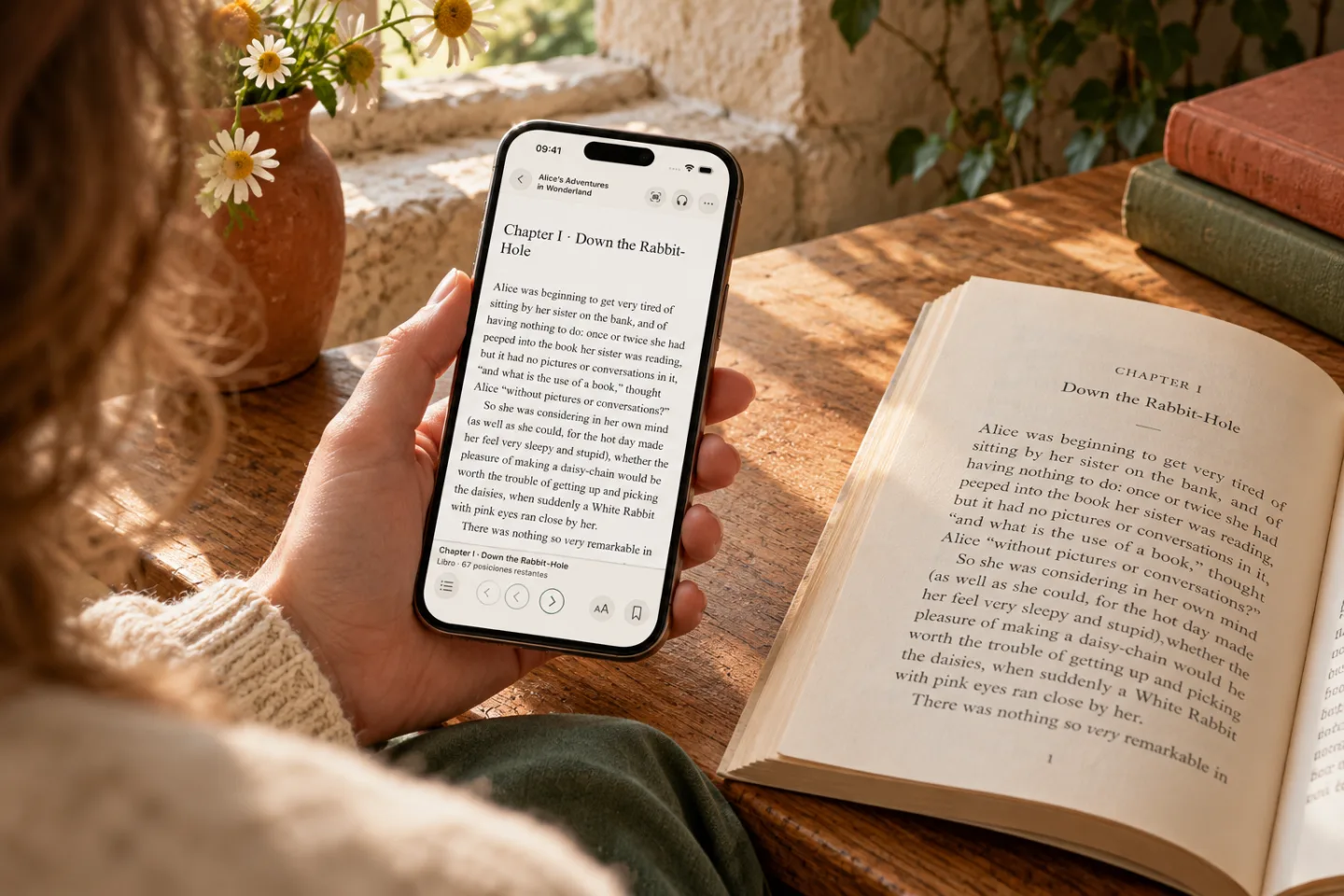
Read in your favourite font, save a thought in the margin and return to the passage you left on paper. Your EPUBs, on iPhone and iPad.
Download on the App StoreOne-time payment. No subscription.
A page
made for you.
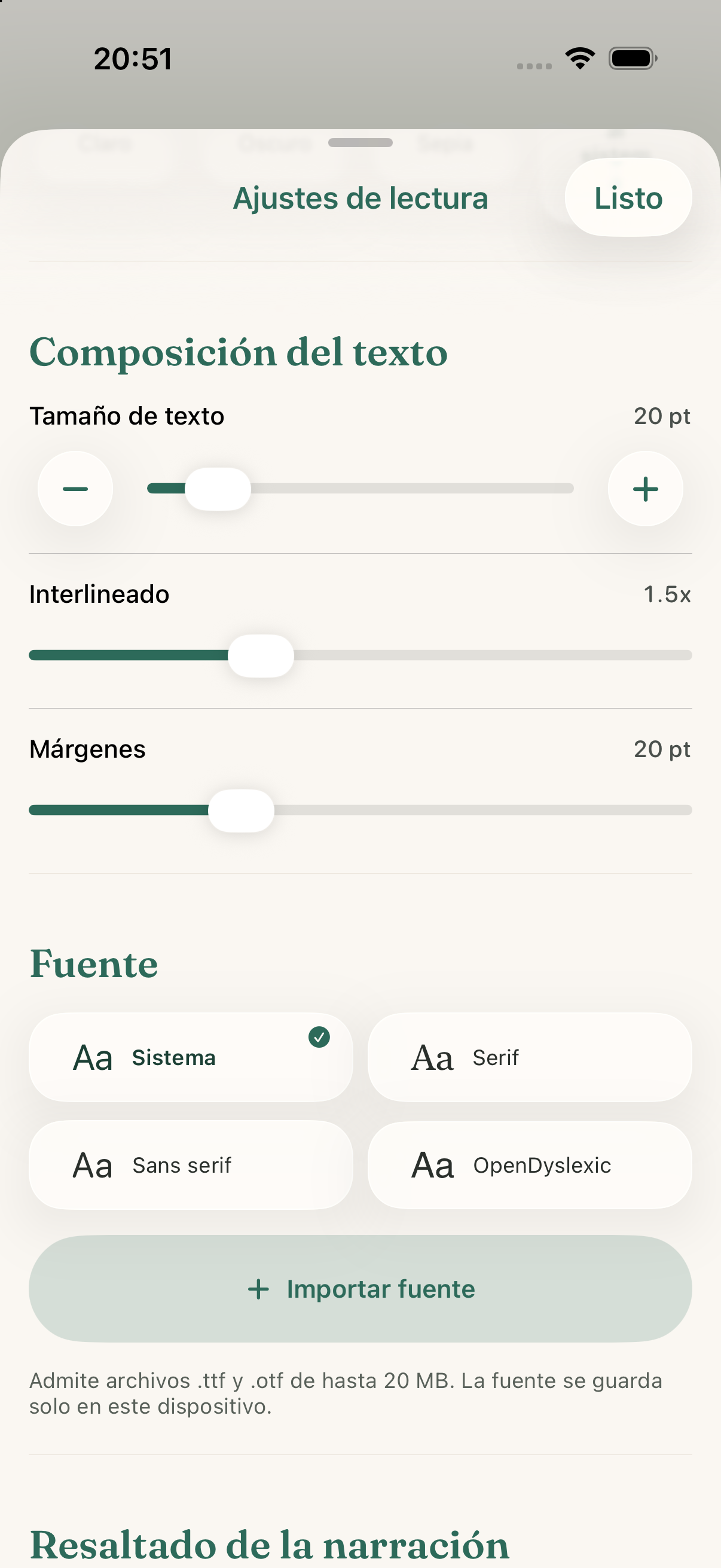
Import your fonts and find the type that makes you want to keep reading.
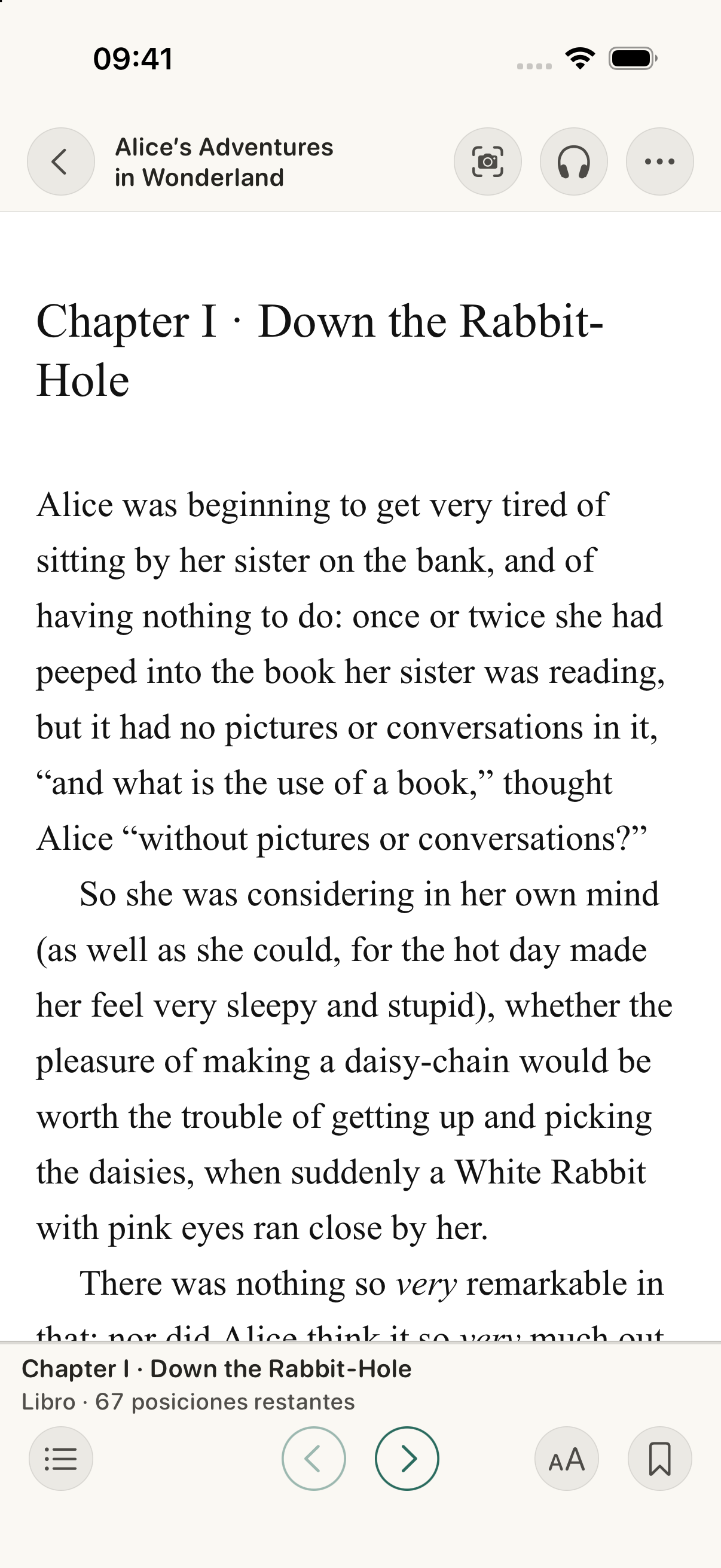
Adjust size, margins and background in the reader. Imported TTF and OTF fonts are added to the device where you install them.
Read and adjust the pageYour thoughts
have a place, too.
Highlight a passage, choose its colour and add a note to return to later.
Bookmarks save a position. Notes keep what a passage made you think: two ways to return to your reading.
- Passage
- Highlight
- Note
The book changes.
Your place does, too.
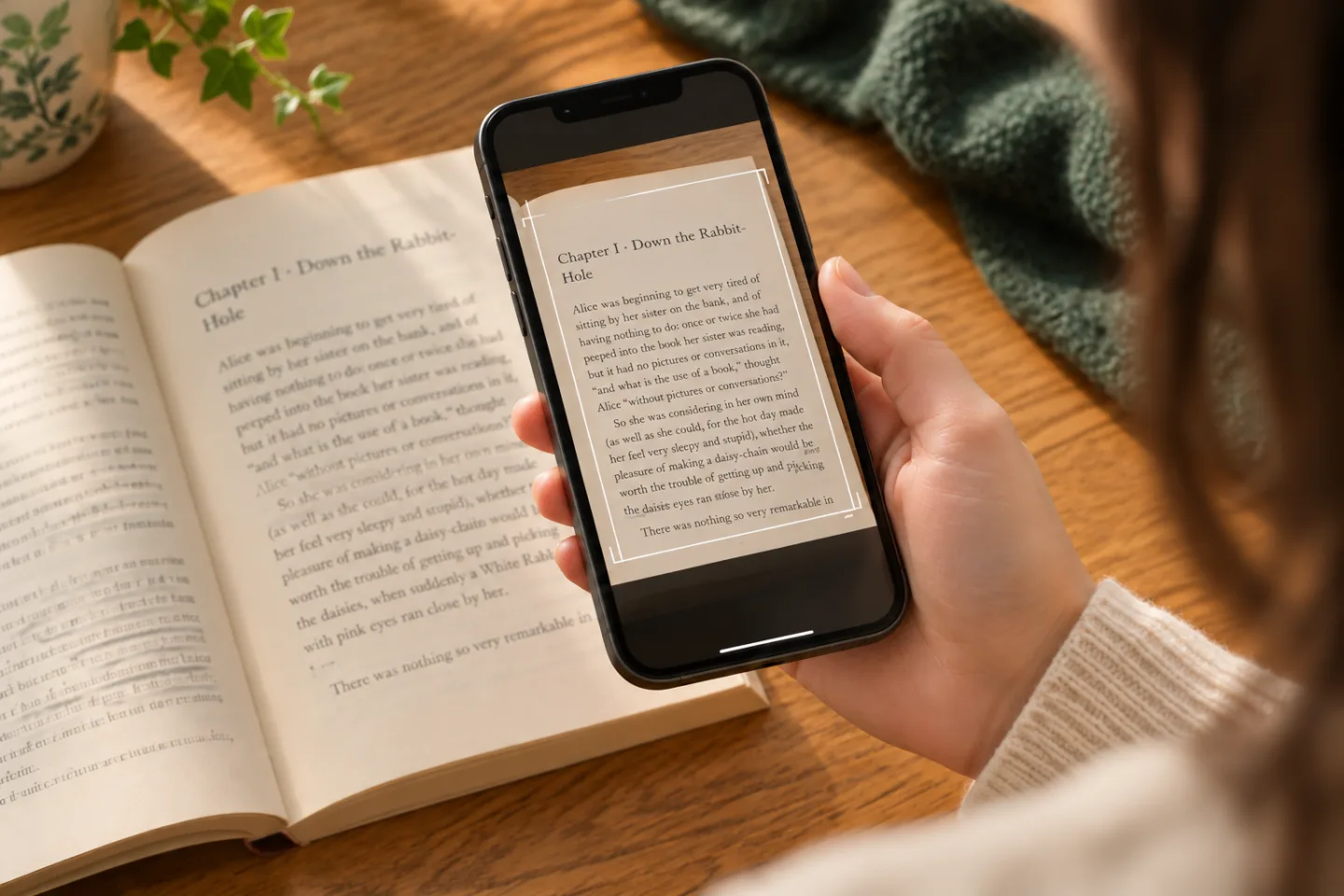
If you alternate between a printed book and its EPUB, scan the page to find the passage and continue on screen.
- Printed page
- Recognise text
- Find it in your EPUB
OCR process diagram. You need the corresponding EPUB; it doesn't create a new digital book.
How to scan a pagePay once.
Continuum is yours.
One in-app payment unlocks the reader, player and Immersive mode.
No subscriptions. No recurring fees.
You bring the books.
Continuum doesn't include books or remove DRM. Import your legally obtained, DRM-free EPUBs and audiobooks.
Download on the App Store