 Continuum
Read with your eyes.
Follow the narration.
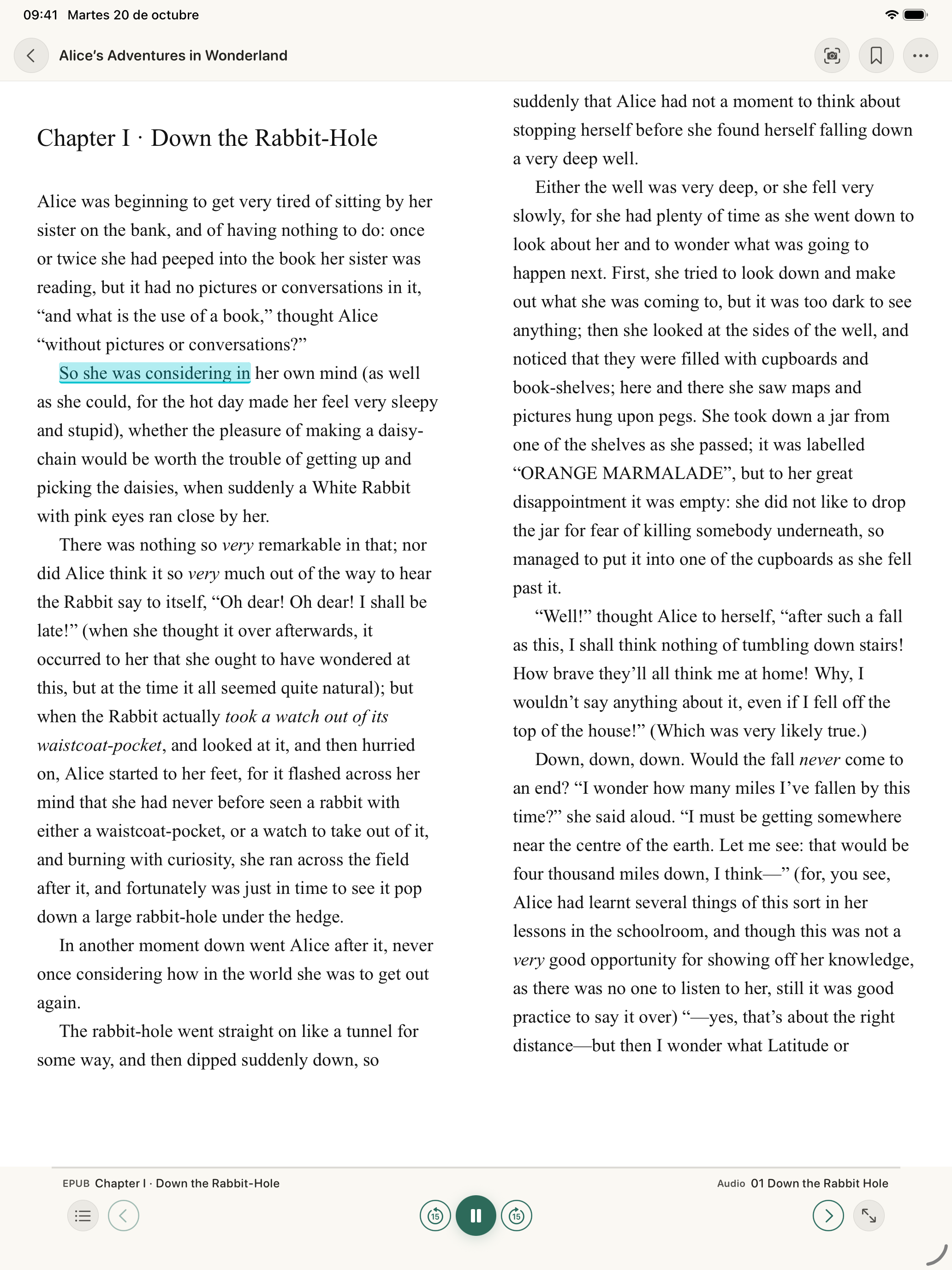
Immersive brings your EPUB and its audiobook together so you can follow the narrated passage on screen. When you switch formats, the matching helps you continue.
Download on the App Store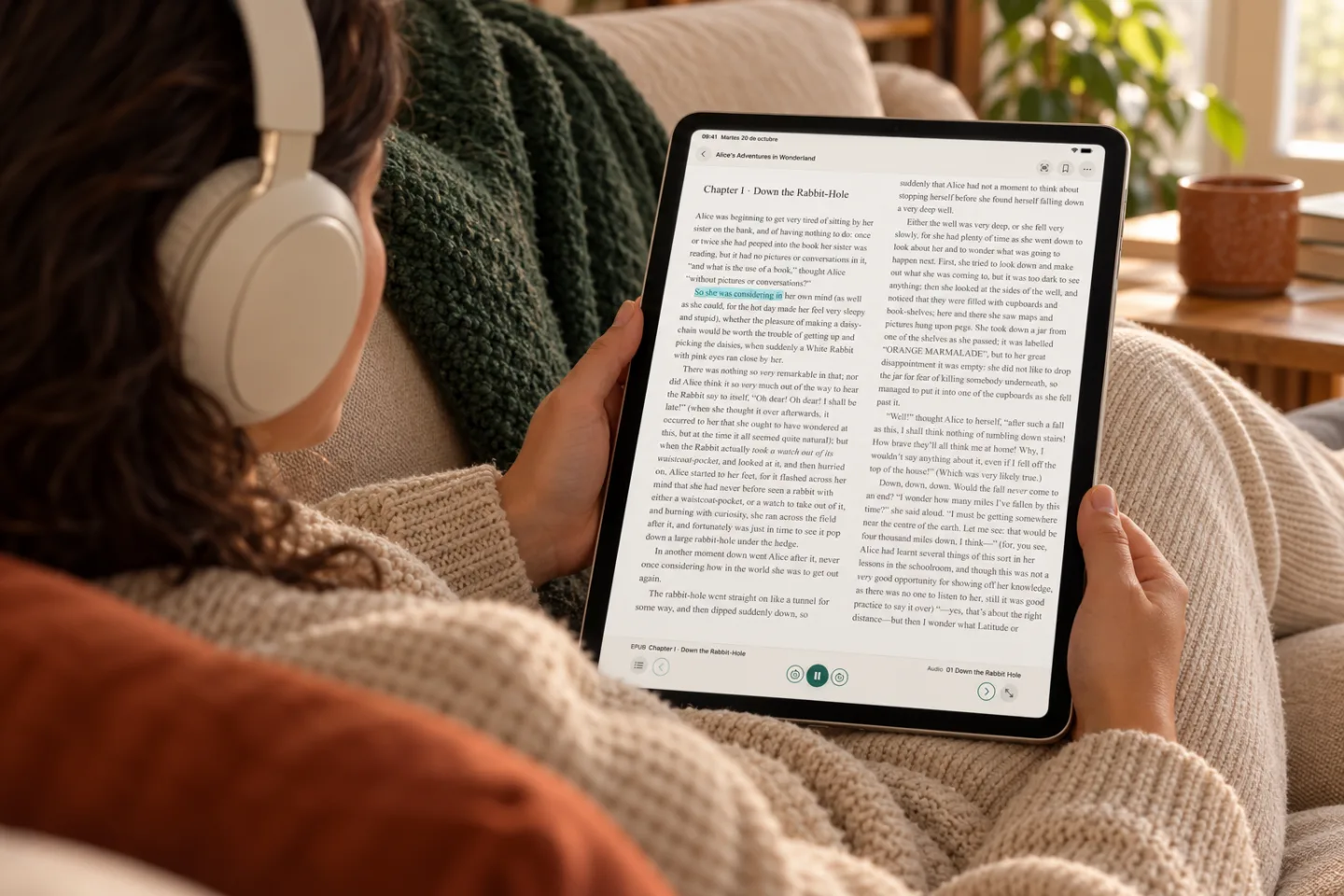
Two files.
One connection.
First add corresponding editions of the same book. Then review how their chapters relate and prepare immersive reading.
- Your EPUB + your audiobook
- Link chapters
- Reading and listening
Syncing diagram. It depends on the edition, chapters and how closely text matches narration; it may be partial or unavailable.
Check compatibility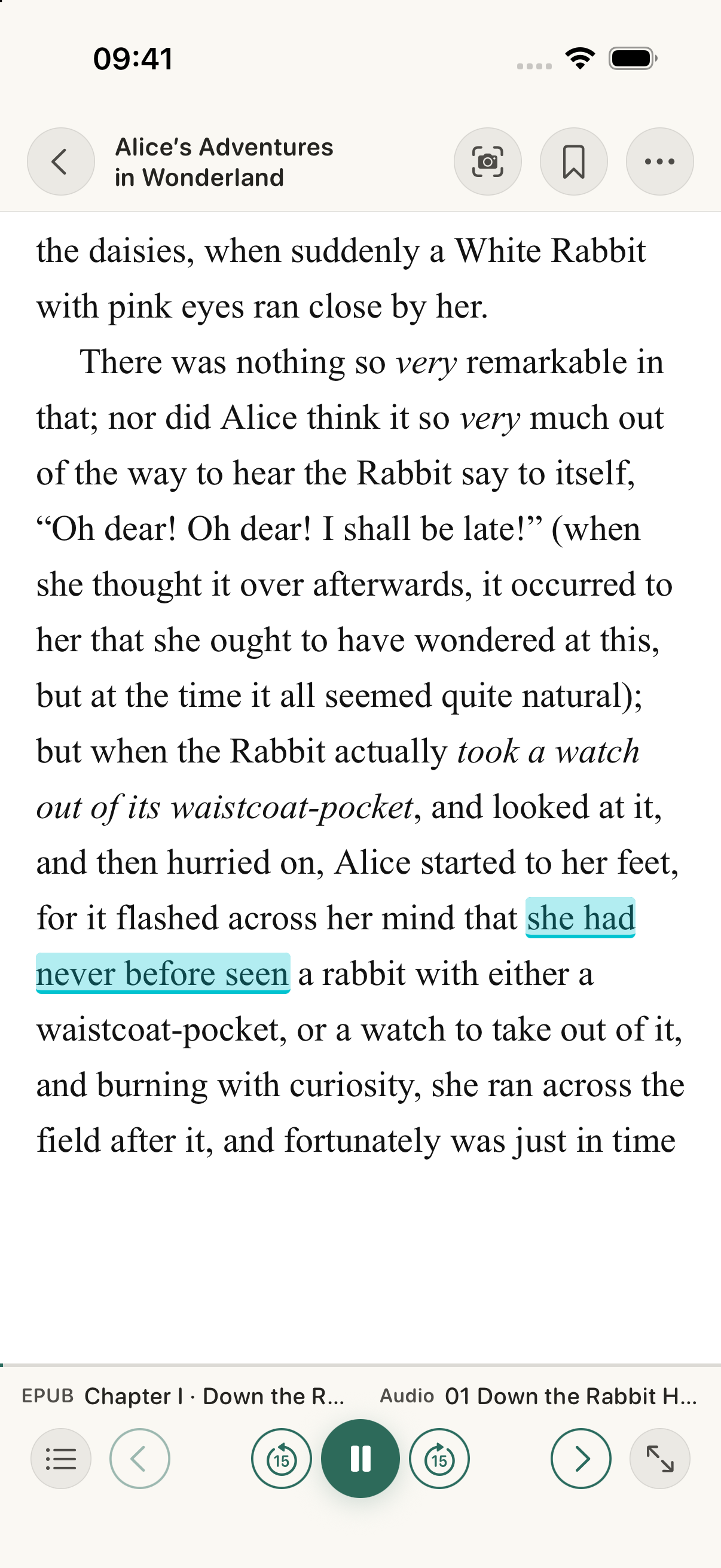
The narration moves forward.
The text follows along.
The highlight follows the narration, pages advance and you choose the highlight colour.
Teal, amber, green, pink or violet. You can also turn highlighting off in the reader settings.
Set up immersive readingA local model.
A guided setup.
The speech model helps find the position between text and audio more precisely. Confirm its download on each device; once installed, that processing can work offline.
- Download the model
- Review chapters
- Continue your story
The current download is about 146.7 MB. The model doesn't make different editions equivalent or guarantee syncing throughout the book.
Install the speech modelPay once.
Continuum is yours.
One in-app payment unlocks the reader, player and Immersive mode.
No subscriptions. No recurring fees.
You bring the books.
Continuum doesn't include books or remove DRM. Import your legally obtained, DRM-free EPUBs and audiobooks.
Download on the App Store